Apply linear, angular, radius, and diameter dimensions. Avoid redundant dimensions and over-constraint. Create a fully constrained sketch that matches a technical drawing.
Materials
For the online work: a browser and your engineering notebook. Follow the activity’s materials list for any physical build, and get teacher approval before using equipment.
Plan your time
Suggested work block: 45–60 minutes. Physical builds and projects may span several classes; follow your teacher’s schedule.
Lesson Overview
What You Are Learning
Learning Targets
Apply linear, angular, radius, and diameter dimensions.
Avoid redundant dimensions and over-constraint.
Create a fully constrained sketch that matches a technical drawing.
How to Approach the Work
Use the instructor demonstration to understand the tool or design decision, then complete the assigned work independently and verify the result before submission.
LearnModelVerifyReviseSubmit
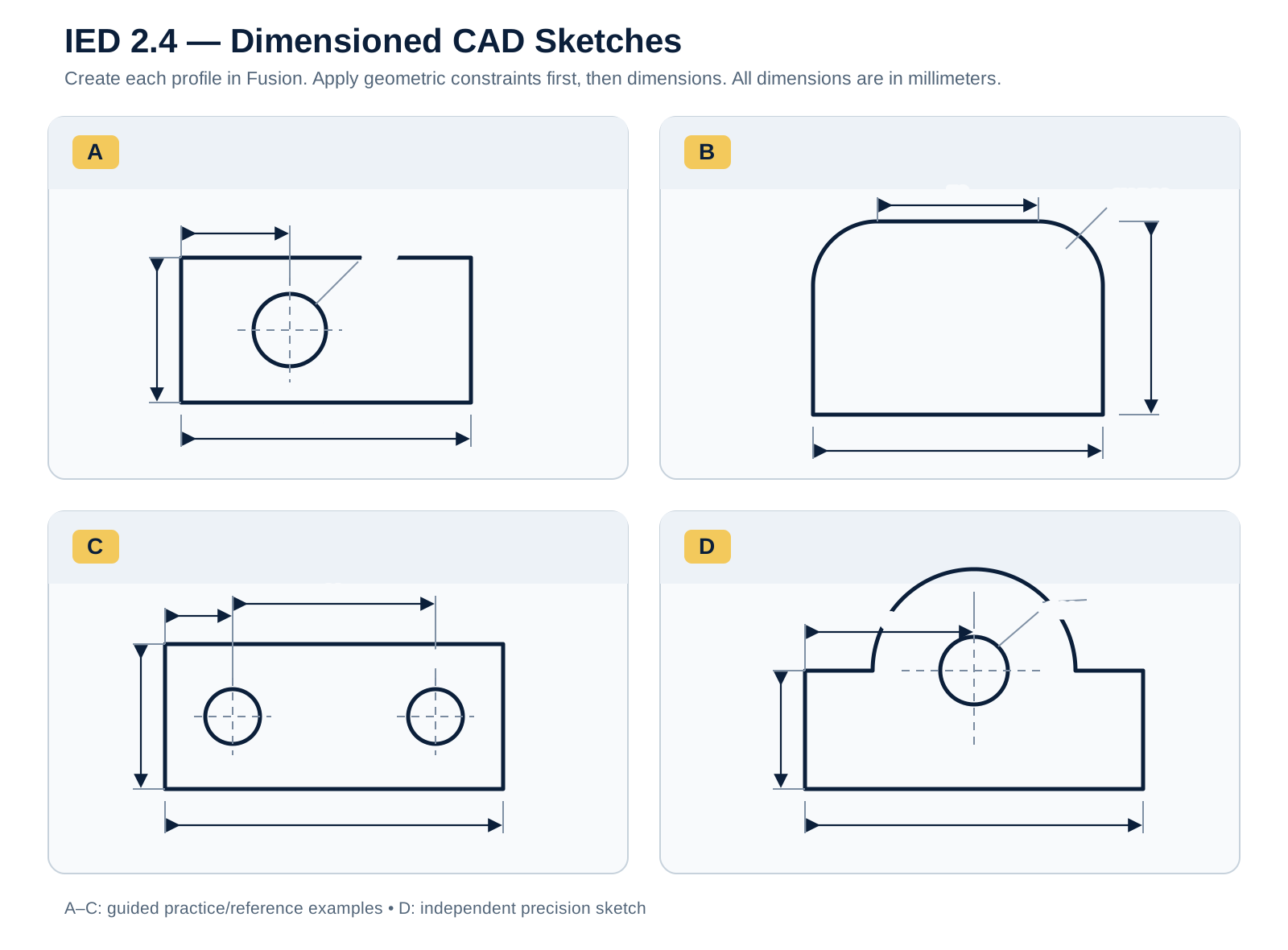
Reference Image
Dimensioned CAD Sketches Reference Sheet
Use this sheet to study how dimensions and constraints define sketch geometry.
Assignment
Dimensioned CAD Sketches
You will combine geometric constraints with dimensions to create a precise sketch from engineering documentation. The final sketch must be both fully constrained and dimensionally correct.
Step-by-Step Instructions
Read the technical drawing before sketching: Identify the overall size, feature locations, hole sizes, radii/diameters, and any angular information before opening Sketch Dimension.
Create the geometry: Draw the required lines, arcs, circles, and other profiles. Focus first on the correct topology and approximate arrangement.
Apply geometric relationships: Add constraints such as horizontal, vertical, tangent, concentric, symmetry, and equal before entering dimensions.
Add dimensions strategically: Use linear, angular, radius, and diameter dimensions to control size and location. Dimension from stable references such as the origin or centerlines when appropriate.
Resolve over-constraint warnings: If Fusion reports that a dimension is redundant or over-constraining the sketch, stop and identify which existing relationship already controls that geometry. Do not simply delete random constraints.
Verify the final sketch: Compare every critical dimension against the drawing. A black sketch is not automatically correct; it must also match the required geometry and dimensions.
Before You Submit
All required dimensions match the drawing.
No over-constraint warnings remain.
The sketch is fully constrained without unnecessary Fix constraints.
Dimensions are readable and not duplicated.
Submission
What You Will Submit
Fusion archive: completed precision sketch exported as LastName_FirstName_2_4_PrecisionSketch.f3d.
Sketch screenshot: all required dimensions visible and the sketch fully constrained. Save as LastName_FirstName_2_4_PrecisionSketch.png.
Written response: identify one geometric constraint and one dimension you used and explain why both were necessary.
File requirements: Export the editable Fusion file using File → Export → Fusion 360 Archive Files (*.f3d). Save the evidence screenshot as PNG.
Reference
Video Help
Quick Tip: Changing Dimensions in a Sketch
Use this video if you need to review the skill after the instructor demonstration. Follow the class requirements when the example differs from the assigned work.
Check calculations, units, labels, and measurements against the activity requirements.
Record what actually happened, including unexpected results.
Explain what you changed and why; attach required drawings, photos, CAD, or code in your classroom assignment.
Fusion archive: completed precision sketch exported as LastName_FirstName_2_4_PrecisionSketch.f3d. Sketch screenshot: all required dimensions visible and the sketch fully constrained. Save as LastName_FirstName_2_4_PrecisionSketch.png. Written response: identify one geometric constraint and one dimension you used and explain why both were necessary.
A PDF download is not a submission. Review it, then upload it and any required attachments through your classroom assignment system.